
Notes
The Complete Google Business Profile Guide for Local Service Businesses (2026)
Someone pulls out their phone and types "chiropractor near me" or "emergency plumber open now." In about two seconds, they see a map with three listings highlighted above every other result.
Reviewed by Melike Erguven, Co-founder of LocalLeadSignal · July 6, 2026 · 16 min read

Someone pulls out their phone and types "chiropractor near me" or "emergency plumber open now." In about two seconds, they see a map with three listings highlighted above every other result. They glance at the photos, skim the star rating, and tap the one that looks like a real, active business. The other two never get a chance.
That first listing did not land there by accident. Someone treated their Google Business Profile as a working part of their marketing, not a box to check once and forget. This guide covers exactly how to do that, step by step, without assuming you have a full marketing department or a big agency on retainer.
Claiming a fresh profile, reviving one that has gone stale, or pushing an existing listing to perform better, this guide covers the full process. No filler, no $500-per-location consulting packages required.
What Google Business Profile Actually Is (and Why It Drives More Calls Than Your Website)
Google Business Profile, or GBP, is the free tool Google gives local businesses to control how they appear in Search and Maps. It powers the map pack, that cluster of three business listings with a map that appears above the regular blue-link results when someone searches with local intent. If you have ever looked up a dentist, a law firm, or a home service provider on your phone, you have seen it. Those three slots get a disproportionate share of clicks, and they are decided entirely by GBP signals, not your website's domain authority.
The difference between a GBP listing and a website is bigger than most business owners expect. A website is a destination. A GBP listing is an answer. When someone searches for a chiropractor or a plumber, Google wants to give them the answer right there on the results page, and for local searches, GBP is how it does that. People can see your hours, call you directly, read your reviews, get directions, and even book an appointment, all without ever clicking through to your site. That is not a bug; it is how local search is designed to work now.
Google's ranking algorithm for the map pack weighs three core factors: proximity (how close the business is to the searcher), relevance (how well the profile matches what was searched), and prominence (how established and credible the business appears based on reviews, links, and overall presence). According to Google's own guidance on local ranking, completing and maintaining your profile is one of the most direct ways to influence all three. You cannot control proximity, but relevance and prominence are entirely workable.
Local SEO and traditional SEO are related but they are not the same discipline. Traditional SEO is largely about getting pages on your website to rank for broad queries through content, backlinks, and technical optimization. Local SEO is about making your business show up for people nearby who are ready to act right now. GBP is the center of that effort. A business with a thin website but a complete, well-managed profile will almost always outrank a competitor with a gorgeous website and a neglected listing.
GBP is free, and that is one of the few genuinely good deals left in marketing. The catch is that it rewards consistency. A profile that gets attention every week performs better than one that gets a burst of work every six months. Treat it like a channel, not a form, and it compounds.
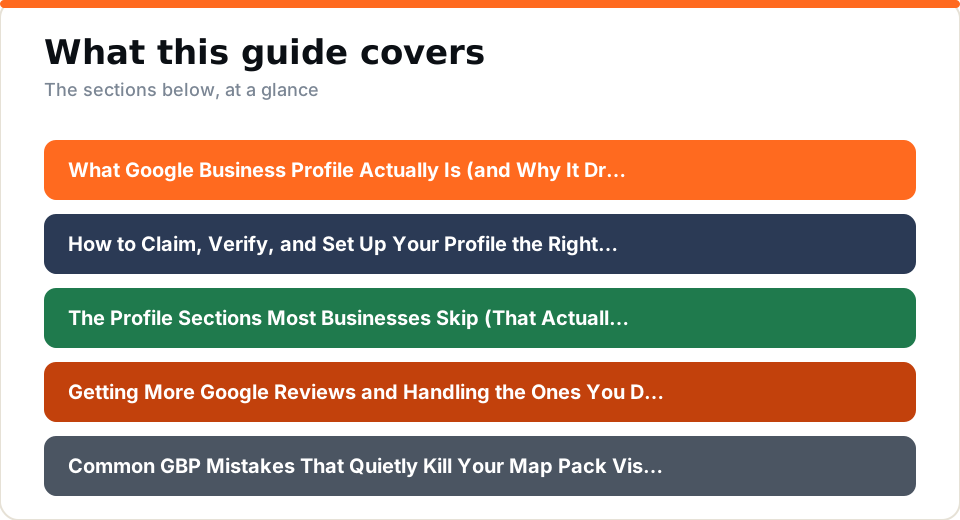
How to Claim, Verify, and Set Up Your Profile the Right Way
If your business has been operating for any length of time, there is a reasonable chance Google has already created a listing for you automatically, pulled from data it collected around the web. Before you create anything new, search for your business name on Google Maps and see what comes up. If a listing exists and says "Own this business?" you need to claim it rather than start fresh. Creating a duplicate listing will split your reviews and confuse Google about which one is authoritative.
Claiming a listing someone else controls, whether a previous owner, a former employee, or an old agency, requires requesting access through GBP's ownership transfer process. It takes a little patience, but Google does have a path for it. Document your ownership clearly when you submit the request.
Verification is the step most people underestimate. Google offers a few methods: a postcard mailed to your business address with a PIN, a phone or text code, a video verification where you record your storefront and workspace, or instant verification if your business is already verified in Google Search Console. Video verification has become more common for new profiles, and it moves faster than waiting on a postcard. Use the method Google offers you, and complete it promptly. An unverified profile is invisible in the map pack.
Once you are in, the foundational fields matter more than most people realize. Your business name should be your real business name, exactly as it appears on your signage and legal documents. Adding keywords to the business name field is tempting and against Google's guidelines. Your primary category is the single most important relevance signal in your profile, so choose the one that most specifically describes what you do. A dental office should be "Dentist," not "Health and Medical," and a personal injury firm should be "Personal Injury Attorney," not just "Lawyer." Add secondary categories to cover adjacent services you offer.
If you serve customers at their location rather than at a storefront, set up as a service area business and list the areas you cover. If customers come to you, list your address. These two configurations behave differently in the map pack, so get it right from the start.
NAP consistency is a concept that sounds simple and causes endless problems in practice. NAP stands for name, address, and phone number. Those three pieces of information need to match exactly across your GBP profile, your website, and every local citation (directory listing) where your business appears. If your GBP says "Suite 200" and your website says "Ste. 200" and Yelp says nothing, Google sees inconsistency. It does not necessarily penalize you outright, but it introduces doubt about which data is correct, and doubt hurts rankings. Set a standard format on day one and apply it everywhere.
Your business description gets 750 characters. Use them to describe what you do, who you serve, and what makes your service worth calling. Write for a person, not an algorithm. You can work in relevant phrases naturally, but the goal is a description that makes someone think "yes, that sounds like what I need." Leave out your phone number and URL since Google strips those anyway.
The Profile Sections Most Businesses Skip (That Actually Affect Your Ranking)
Most business owners fill out the basics and stop. Name, address, phone, hours, maybe a category. Then the profile sits there, doing partial work. The sections that actually separate strong-performing profiles from weak ones are the ones that require a little more effort to build out.
Services and products are where local keyword research pays off in a direct, structured way. GBP lets you list individual services with names, descriptions, and prices. That is not just a customer-facing feature; it feeds relevance signals to Google. A physical therapy clinic that lists "post-surgical rehab," "sports injury rehabilitation," and "manual therapy" as distinct services gives Google far more to match against local searches than a profile that just says "Physical Therapy." Use long-tail local keywords in your service descriptions the same way you would use them in a page on your site, naturally, with the actual language your customers use.
Attributes are one of the most overlooked sections of any profile, and that oversight has real consequences. These are the small checkboxes that signal practical details about your business: online appointments, wheelchair accessibility, women-owned status, on-site parking, and similar specifics. Certain attributes appear only for particular business categories. A healthcare provider, for instance, may see options related to accepted insurance or telehealth availability. Filling these out matters because Google uses them to match your profile against filtered searches, and customers read them to decide whether your business suits their needs before they ever pick up the phone.
The Q&A section is one of the most overlooked pieces of the profile. Anyone on Google can post a question about your business, and anyone can answer it, including your competitors or random people who have no idea what they are talking about. The fix is simple: seed the Q&A section yourself. Think about the questions your customers ask before booking. "Do you accept new patients?" "Is parking available?" "Do you offer free consultations?" Write the questions and write the answers. Those Q&As surface in your profile and in search results, and they reduce friction for someone who is on the fence.
GBP posts are short-form updates that appear directly on your profile. Offers, event announcements, product highlights, and general updates all work. Posting consistently, even once or twice a week, signals to Google that the profile is active and the business is operating. Posts expire after seven days for some types, so a profile with no recent post can look abandoned. Keep them short, genuine, and relevant to what someone searching for your service would want to know.
Photos and videos carry more weight than most people give them credit for. A profile with recent, clear photos of your team, your workspace, and your work looks credible. Quantity matters, but so does recency. Uploading a batch of twenty photos once and never adding more is weaker than adding a few photos every month. If you can, use images that have been geotagged to your business location before uploading, it is a small signal that reinforces your local footprint in google maps marketing.
Booking and messaging features let you turn profile visitors into leads without requiring them to visit your website at all. If your scheduling software supports Google's booking integration, enable it. Turn on messaging if you have someone to respond within a reasonable window. Slow responses train Google and customers alike to treat you as unresponsive.
Getting More Google Reviews and Handling the Ones You Did Not Expect
Reviews are not just social proof. Review quantity, recency, and the rate at which you respond to them are all ranking signals for the map pack. A business with a hundred reviews that stopped coming in two years ago will generally underperform a competitor with sixty reviews that have a steady stream of new ones coming in each month. Google wants to surface businesses that are currently active and currently trusted by customers.
Asking for reviews feels awkward until you build it into a process. The timing matters more than the channel. The best moment to ask is right after a positive interaction, when the customer's satisfaction is fresh. For a service business, that might be right after a job is completed, at checkout, or in a follow-up message sent within twenty-four hours. A simple, direct ask works better than a paragraph of explanation. "We'd really appreciate a Google review if you have a minute" with a direct link to your review form removes all friction.
According to Google's guidance on managing customer reviews, you should never offer incentives in exchange for reviews, and you should never ask employees or family members to post reviews. Beyond being against policy, manufactured reviews tend to read as manufactured, and customers notice.
Responding to positive reviews does more than make the reviewer feel good. When you acknowledge a review and naturally use the service name or location in your response, you are adding relevant text to your profile in a way that feels organic. Keep it warm and specific rather than copy-pasting the same response to every five-star review. "So glad the back pain relief you were after is finally happening" is better than "Thank you for your kind words! We appreciate your business."
Negative reviews require more care, but a composed and professional reply carries real weight. Acknowledge what the customer experienced without slipping into defensiveness. Give them a clear way to resolve the issue offline, such as a phone number or email address. Avoid arguing, avoid naming anyone, and resist the urge to over-explain. That reply is not primarily aimed at the person who left the complaint; it speaks to every prospective customer who reads the exchange and forms a judgment about your business. A company that handles criticism with grace and steadiness reads as more credible than one sitting on a string of five-star reviews with no replies at all.
There is a narrow set of circumstances under which a review can actually be flagged for removal. Reviews that contain fake content, spam, off-topic material, or policy violations are eligible. A one-star review from a genuinely unhappy customer is not removable just because it is negative. Flag reviews that clearly violate the rules and follow up through GBP's support channels if needed. Flagging takes time and success is not guaranteed, so build your reputation recovery strategy around earning new positive reviews rather than waiting for a bad one to disappear.
Online reputation management compounds over time in a way that is hard to see in any single week but obvious over a year. A steady rhythm of new reviews, thoughtful responses, and resolved issues builds a profile that looks and ranks like a business people trust. That is the foundation the rest of your map pack visibility sits on.
Common GBP Mistakes That Quietly Kill Your Map Pack Visibility
The business name field attracts the most common mistake in all of GBP optimization. Adding keywords to your business name, like "Joe's Plumbing | Best Plumber in [City]," feels like a quick win and is actually a violation of Google's guidelines for representing your business. Competitors can flag it, Google can suspend the profile, and even if neither happens immediately, it introduces instability. Your business name on GBP should be your business name, nothing more.
Category selection is the second place things go wrong regularly. Choosing a broad category because you are not sure which specific one applies, or because the right one seems too narrow, leaves ranking power on the table. Primary category is the most influential relevance signal in your profile. A family law attorney who picks "Lawyer" instead of "Family Law Attorney" is competing against a much bigger pool and matching a much smaller slice of relevant searches. Secondary categories are free additions, so use them to cover every meaningful service line you offer.
Profile staleness is quieter but just as damaging. A listing with photos from three years ago, no recent posts, and a service list that does not reflect what the business actually offers today looks abandoned to both Google and potential customers. Regular activity, updating photos, publishing posts, and keeping the service menu current, signals that the business is active. Google rewards recency.
Leaving the Q&A section unmonitored is a specific kind of risk. Questions sit there, visible to anyone, and if no one from the business answers them, a well-meaning stranger might, with information that is outdated or simply wrong. Worse, a competitor can post questions designed to plant doubt and answer them unfavorably. Checking the Q&A section weekly and seeding your own answers costs almost no time and prevents a problem that is annoying to clean up after the fact.
Holiday hours are a smaller detail that causes outsized damage. When your profile says you are open on a day you are actually closed, customers show up or call and get nothing. A few bad reviews mentioning "shows as open but wasn't" can move your rating noticeably and signal to Google that the business is unreliable. Update hours before every holiday, not after.
Not connecting GBP to Google Search Console leaves you flying blind on performance data. Search Console shows you what queries triggered your profile to appear in search, how many clicks you received, and which pages on your site are relevant to local searches. That data is free and directly useful for understanding what is working. Most of the mistakes covered here also show up as findings in a thorough local SEO audit of your profile, which is a useful exercise even for profiles that seem to be performing reasonably well. Gaps that feel minor, a missing category, an unanswered Q&A, a stale post history, tend to compound when several of them exist at once.
Keeping Your Profile Working in 2026: AI Search, Voice, and What Comes Next
Google's AI Overviews, the generated summaries that appear at the top of search results for a growing share of queries, pull heavily from structured, verified sources. GBP data is one of them. A complete, accurate, and active profile is more likely to have its information surface inside an AI Overview than a thin or outdated one. Profile completeness is not just a ranking factor for the traditional map pack anymore; it feeds the AI layer that sits above it.
Voice search has been growing steadily, and fully built-out GBP profiles are the most direct feed for the conversational answers that smart speakers and phone assistants read aloud. When someone asks their phone "what physical therapists near me are open Saturday," the answer comes from a combination of GBP data, proximity, and profile signals. Short, direct answers already exist in your Q&A section and service descriptions, and they are exactly what voice interfaces want to surface. The businesses that invested in building those sections out are the ones whose names get read aloud.
AI search citations and generative engine optimization are newer concepts but they matter now. Tools like ChatGPT, Perplexity, and Gemini are being used by a meaningful and growing share of people to research local service providers. These AI tools do not always surface the same businesses that rank in Google's map pack. They pull from structured data, authoritative mentions around the web, and increasingly from GBP and schema signals. A well-optimized profile that is consistent with your website data and reinforced by local citations gives you a better shot at showing up in those AI-generated answers. AI visibility for local businesses is no longer a future consideration; it is a present one.
Local business schema markup pairs naturally with GBP to reinforce your entity in AI-driven results. Schema is code added to your website that tells search engines and AI systems exactly what your business is, where it is located, what hours you operate, and what services you offer. When your schema data matches your GBP data matches your citation data, you create a consistent, machine-readable identity that AI systems can cite with confidence. Google Search Central has thorough documentation on how to implement LocalBusiness structured data if you want to get into the technical details.
A simple monthly maintenance rhythm keeps all of this from feeling overwhelming. Once a month, check that your hours and services are current. Upload a few recent photos. Publish at least one or two posts. Scan reviews and respond to anything new. Look at your GBP Insights to see what searches are driving profile views. Review your Q&A for anything unanswered. None of those tasks takes more than thirty minutes combined, but the difference between doing them and not doing them accumulates fast over a year.
LocalLeadSignal handles all of this ongoing work for clients starting at $249/mo with no contract. That means tracking your visibility, managing your GBP, keeping your listings and citations consistent, monitoring and supporting your review strategy, and making sure your AI search presence is covered. Most SEO companies assume you already have a marketing team and start at $500 or more per location. LocalLeadSignal exists for the businesses that need the work done without needing to hire for it.
A Google Business Profile is one of the highest-leverage things a local service business can do, full stop. The businesses winning the map pack right now are the ones treating it like a live channel, publishing posts, earning reviews, keeping hours current, answering questions, and watching how AI search is changing what "showing up locally" even means.
Everything covered in this guide, from the foundational setup to the AI visibility layer, is exactly what LocalLeadSignal manages for clients every month. You do not have to figure it all out yourself, and you do not need to pay a big agency to do it.
Frequently asked questions
- How long does it take for Google Business Profile changes to affect rankings?
- Most profile edits go live within a few days, but ranking shifts typically take two to six weeks to show up. Consistent updates like new photos, posts, and fresh reviews signal to Google that your profile is active, which compounds over time rather than producing an overnight jump.
- Does Google Business Profile help with AI search results like ChatGPT or Perplexity?
- Yes, indirectly. A complete, well-optimized GBP strengthens your overall entity signals, which AI search tools draw from when deciding which businesses to surface. Pairing GBP optimization with schema markup and consistent citations improves your chances of appearing in AI-generated local answers.
- What is the most important thing to get right on a Google Business Profile?
- Choosing the correct primary category is the single highest-impact setting because it tells Google what searches your business is relevant for. After that, NAP consistency, a complete service list, and a steady flow of recent reviews carry the most weight for map pack ranking.
- Can I manage my Google Business Profile myself or do I need an agency?
- You can manage it yourself, but it requires regular attention: updating hours, responding to reviews, publishing posts, and monitoring for spam edits. Many small service businesses hand this off to a service like LocalLeadSignal so the profile stays active without pulling the owner away from running the business.
- What should I do if a competitor or spammer edits my Google Business Profile?
- Google allows anyone to suggest edits to a profile, and some changes go live automatically. Check your profile weekly for unauthorized changes to your name, category, address, or hours. If you spot an incorrect edit, revert it through your dashboard and flag it for review if it keeps reappearing.
See where your own business stands.
We measure your local rankings, your listings, your website, and how AI assistants answer for your business. No signup required.
Or jump straight to pricing →